City of St. Joseph upgrades response tracking system
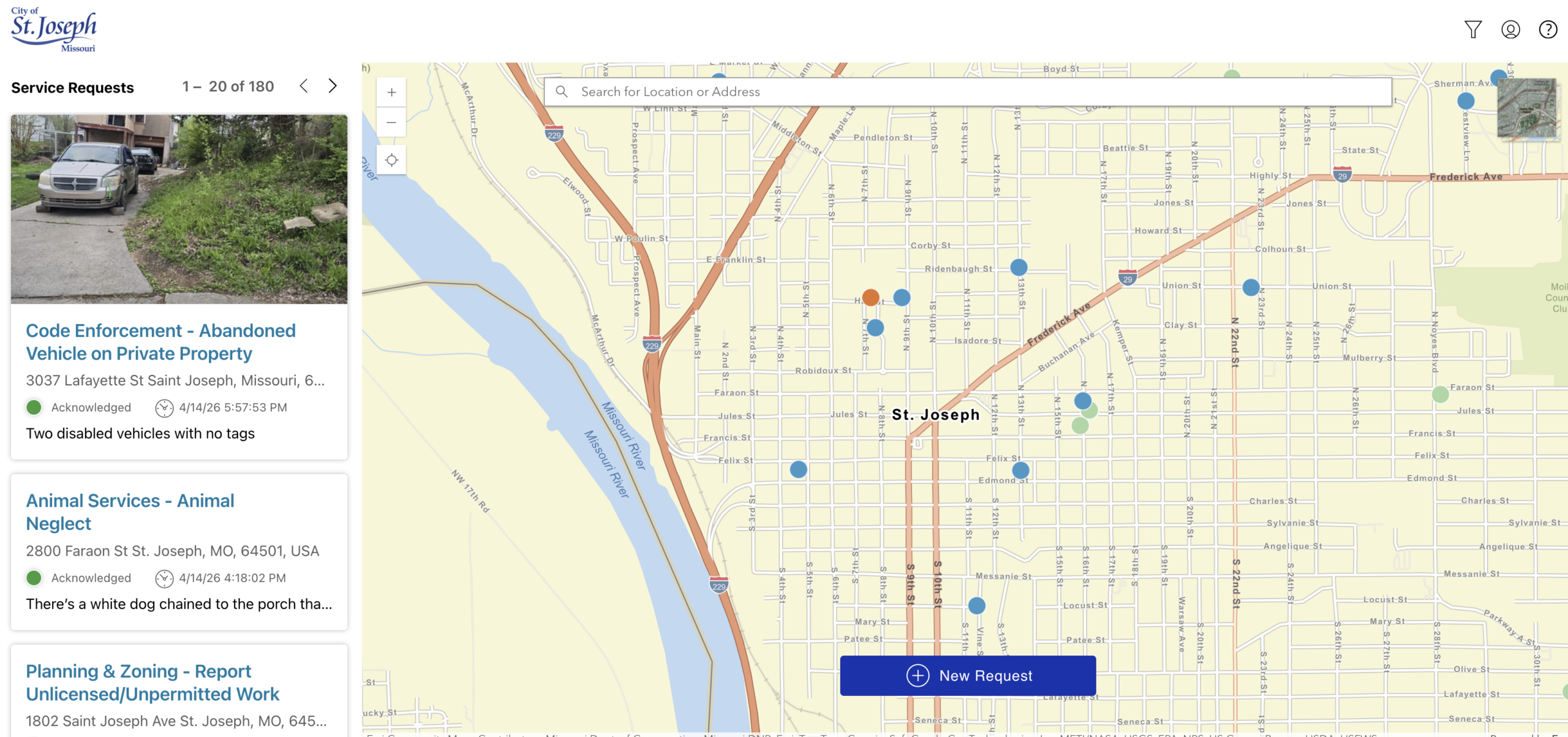

ST. JOSEPH, Mo. (KQTV) -- The City of St. Joseph said residents can now explore recent upgrades to its electronic service request system.
The system allows users to report concerns at any time from a computer or mobile device and will now also track the status of their request from submission through resolution.
SeeClickFix serves as a one-stop platform to receive, track and respond to resident service requests.
Residents can report a wide range of issues, which include animal services, code enforcement, dangerous buildings, health concerns, parks maintenance, parking problems and street repairs.
The system is available around the clock, even outside of regular City business hours. The system also makes sure requests and inquiries are sent the the appropriate department.
Residents have been able to report issues through the City's website for awhile, but the latest enhancement now allows users to monitor their request as it progresses.
In a news release, the City said the new enhancement aims to increase transparency, strengthen the City's responsiveness, keep the public better informed and give residents a real-time insight into how their concerns are being addressed.
The upgrade also will hold staff accountable for timely and effective service.
"These improvements give residents clear visibility into how their requests are handled from start to finish, which strengthens trust and transparency," City Manager Mike Schumacher said. "By making it easier to report issues and track progress in real time, we're ensuring our team stays responsive and accountable while delivering timely, effective service."
Residents can access the system in two ways:
- Visiting the City's website at www.stjosephmo.gov and clicking the "Report at Concern" button at the top of the page
- By downloading the SeeClickFix app on a mobile device and selecting St. Joseph, Missouri
Both options guide users through submitting a new request. Residents will select and confirm the location of the issue, choose the appropriate category and may upload a photo or description.
After confirming the details, users can submit a request with their name or anonymously. First-time users are prompted to register an email address and create an account.
Registering for the system allows residents to receive email updates, including confirmation that the request has been received, information on steps taken and notification when the issue has been resolved.
Residents who choose to submit a request as a guest without creating an account will not receive status updates.
